
Features / Pre-Designed Templates
Apply a Professional Login Design in One Click
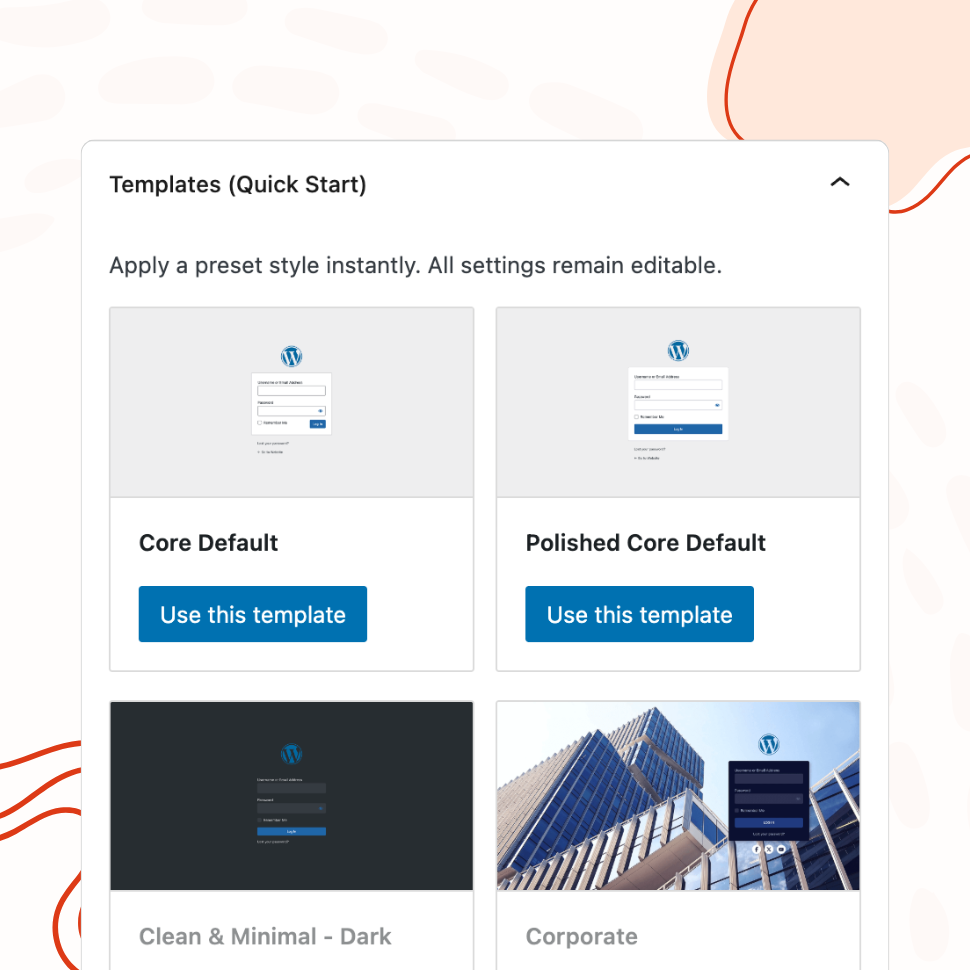
Choose from 20+ ready-made templates and customize them to match your brand — from clean and minimal to bold and corporate.
- 21 templates: minimal, corporate, split-screen, and more
- Background images auto-uploaded to your media library
- Use any template as a starting point, then customize freely
You’re fully covered by our 30-day risk-free money-back guarantee.
One-Click Application
Apply and Customize Any Template Instantly
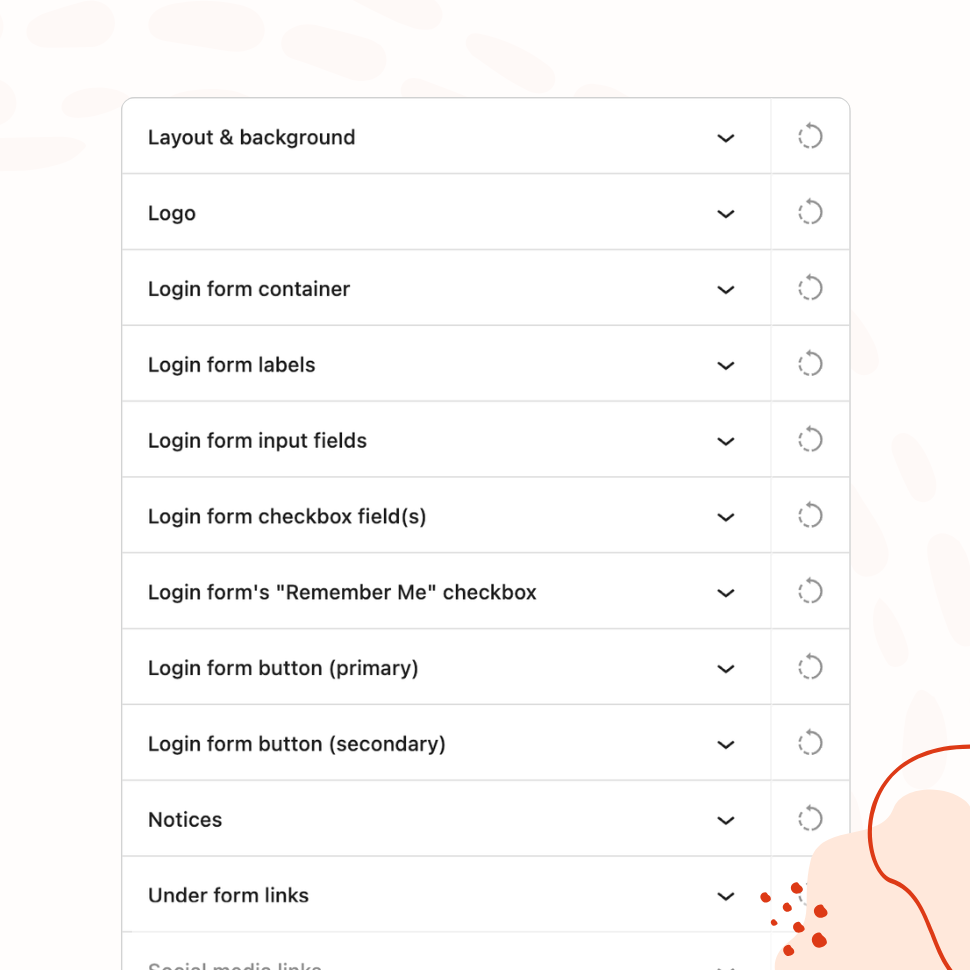
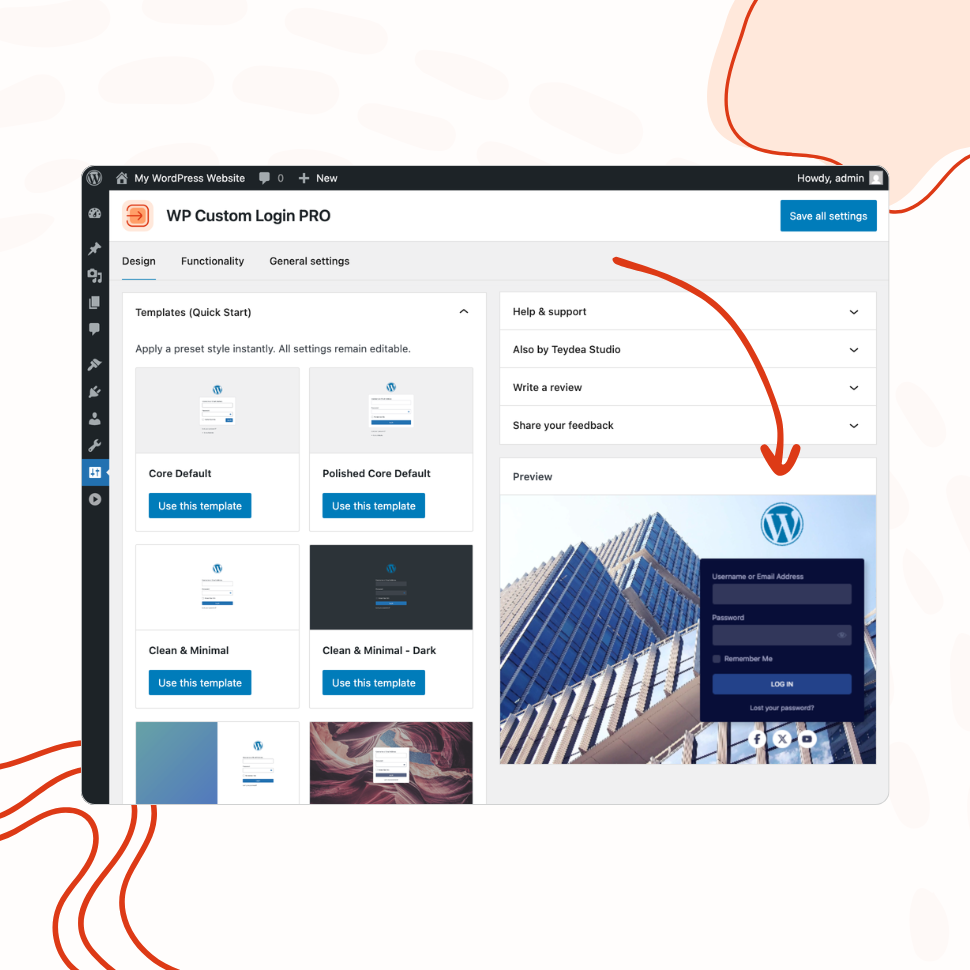
Each template configures your entire login page — background, layout, colors, and form styling — with a single click. Then adjust any element to make it yours.
Agency Use Case
Deliver Branded Login Pages to Clients in Minutes
Templates make it easy to set up polished, client-ready login pages across multiple sites without starting from scratch each time.
Why Pre-Designed Templates Save Time and Effort
Building a custom login page from scratch means making dozens of design decisions — layout, background, colors, form styling, button design, and more. For a single site, that’s manageable. But when you’re setting up multiple sites or working under tight deadlines, starting from a blank canvas every time is slow and repetitive.
Pre-designed templates eliminate that overhead. Each template is a complete login page design — layout, background, colors, form container, and button styles — all configured with a single click. Instead of spending 30 minutes tweaking individual settings, you pick a template that fits the project and adjust only what needs to change.
This is especially valuable for agencies and freelancers who deliver WordPress sites to clients. A branded login page is a small detail that makes a big impression, but it rarely justifies a large time investment. Templates let you deliver a polished result in minutes rather than building one from scratch for every project.
A Range of Styles for Every Brand
The plugin ships with 21 templates covering a wide spectrum of design styles. Clean & Minimal for corporate and professional sites. Midnight Ocean and Dark Horizon for bold, modern brands. Rose Elegance and Warm Sunset for softer, lifestyle-oriented designs. Brutalist Raw for design-forward projects. Corporate and Modern Teal for enterprise and SaaS. Desert Highway, Monochrome Ink, and Golden Noir for distinctive visual identities.
Each template has been designed as a complete, cohesive login page — not just a color swap. Templates include layout configuration, background treatment, form container styling, and button design that all work together. Whether you need something understated or something that makes a statement, there’s a template that gets you most of the way there before you change a single setting.
Customization on Top of Templates
Applying a template doesn’t lock you in. Every setting a template configures — from the background image to the button border radius — remains fully editable through the same visual controls you’d use when building from scratch. Think of templates as starting points, not constraints.
A common workflow: apply the Split Screen (Abstract) template for a client site, then swap the background image for the client’s brand photography, adjust the primary button color to match their brand palette, and replace the logo. Three changes, two minutes, and the login page looks custom-built — because the template handled the 90% of design decisions that don’t need to be unique.
Background images bundled with templates are automatically uploaded to your WordPress media library when applied, so they’re stored on your site and fully under your control.
Consistent Quality Across Client Sites
When you manage multiple WordPress sites, visual consistency becomes a challenge. Each login page designed from scratch introduces small variations — slightly different spacing, inconsistent button styles, mismatched form layouts. Over time, the quality drifts.
Templates solve this by providing a reliable baseline. You can use the same template across all client sites and customize only the brand-specific elements (logo, colors, background image), keeping the underlying structure and proportions consistent. The result is a portfolio of client sites that all feel professionally finished, without the effort of pixel-matching each one manually.
For teams, templates also reduce the skill gap. A junior developer applying a template and swapping in client branding will produce a result that’s visually indistinguishable from what a senior designer would build — because the foundational design decisions are already made.
Features
Explore These Powerful Features Next
Discover the features offered by the WP Custom Login plugin for WordPress.
Pre-Designed Templates
Choose from 20+ ready-made login page designs and apply them with one click. Use any template as a starting point, then customize freely.
Custom Logo & Branding
Replace the WordPress logo with your own image or site icon. Add a branded footer and social media links to create a fully personalized login page.
Form & Input Styling
Customize labels, input fields, buttons, checkboxes, and error messages with granular controls — including separate styles for normal, hover, and focus states.
Advanced Backgrounds & Layouts
Use split-screen layouts, image and video sliders, animated gradients, and CSS filters to create a premium login page that goes beyond a simple background color.
Post-Login Redirects
Define redirect rules based on user roles or individual users, so administrators, editors, and subscribers each land on the most relevant page after login.
Custom Login URL
Replace wp-login.php with a custom login path. Block or redirect direct access to the default URL, with built-in validation to prevent lockouts.
Easy Setup with Live Preview
Configure every aspect of your login page from a visual settings panel with an instant live preview. No CSS knowledge or page refreshing required.